Here's a problem nobody warns you about when you get into local AI: the models pile up. You start with one 8 GB quant, then you keep a second quant to compare, then a 70B for the heavy lifting, then image and video generation weights, then a few RAG datasets, and one day you look up and hundreds of gigabytes have simply evaporated. Worse, half of them are duplicates you couldn't find, so you re-downloaded them. If that's you, you're in good company, and there's a genuinely useful local-AI workflow buried in the mess.
In a recent video, developer-machine reviewer Alex Ziskind ("My LLM Hoarding Got Out of Hand… So I Built This") walks through exactly this problem on a brand-new M5 Max with 8 TB of storage that he's already nearly filled. Below is what's genuinely useful for any local-LLM owner, the storage reality, the tooling, and how to organize your own collection. (We skip the video's sponsor segment and focus on the workflow.)
🧮 Not sure your machine can run the models discussed here? Check it in our calculator →
Why local models eat your disk alive
The core issue is that "a model" is rarely one file. Ziskind lays out the real storage math, and it matches what anyone running local inference sees:
- A small Qwen-class quant: ~8 GB.
- A 70B-class quant: 40 GB and up, and people keep several quants of the same model to compare quality (the exact trade-off in our GGUF vs GPTQ vs AWQ guide).
- Image and video generation weights: easily hundreds of gigabytes.
- RAG datasets and vector databases: "gigs upon gigs," as he puts it, the storage side of the workflow in our RAG explainer.
Keep multiple quant variants of a few big models, add media generators and retrieval corpora, and a multi-terabyte drive fills startlingly fast. This isn't hoarding for its own sake, comparing quants and keeping a working set is a legitimate part of running local AI seriously. The GGUF format those quants use comes from llama.cpp, whose quantization tables are the reference for these sizes.
The HuggingFace cache mess (and a needed correction)
Ziskind's other complaint is the HuggingFace cache, the default download location with its "gibberish folder names, blobs, weird file names, references and snapshots." If you've gone looking for a model file you know you downloaded and found an inscrutable maze of hashes, that's the cache.
Worth a fair note for accuracy, though: that structure isn't just sloppiness. As the top-voted commenter on the video, @MrLocsei, points out, "the HuggingFace cache looks 'messy' because its storage system is explicitly inspired by Docker's layer distribution mechanism and uses a content-addressable storage architecture." The hashes and symlinks are how it de-duplicates shared files between models. It's optimized for machines, not humans, which is precisely why a human-friendly layer on top is useful. It's also why local-AI folks regularly find their models taking up twice the listed size on disk: the cache keeps both blobs and snapshot copies.
The fix: a clean shelf and an agent that finds models for you
Ziskind's solution is an open-source tool he calls Model Shelf. Two ideas make it genuinely useful for local-LLM users:
- A sane directory structure. Instead of the cache maze, models live in predictable folders by runtime,
llama.cppmodels,MLXmodels (for Apple Silicon), and rawsafetensors(for vLLM/llama.cpp on other machines). You always know where a file is and can copy a path without hunting. - An agent skill. It ships a skill so a coding agent (Claude Code, or anything that can run a shell command) can search your local shelf and load the right model from a plain-English request, "get me Qwen3 in 3-bit", finding it across drives, with no re-download if you already own it.
That second part is the genuinely modern bit: your local model library becomes something an agent can query, not a folder you have to remember. The demo loads an MLX Qwen 3-bit straight off an external drive by description alone.
The hardware that makes it practical
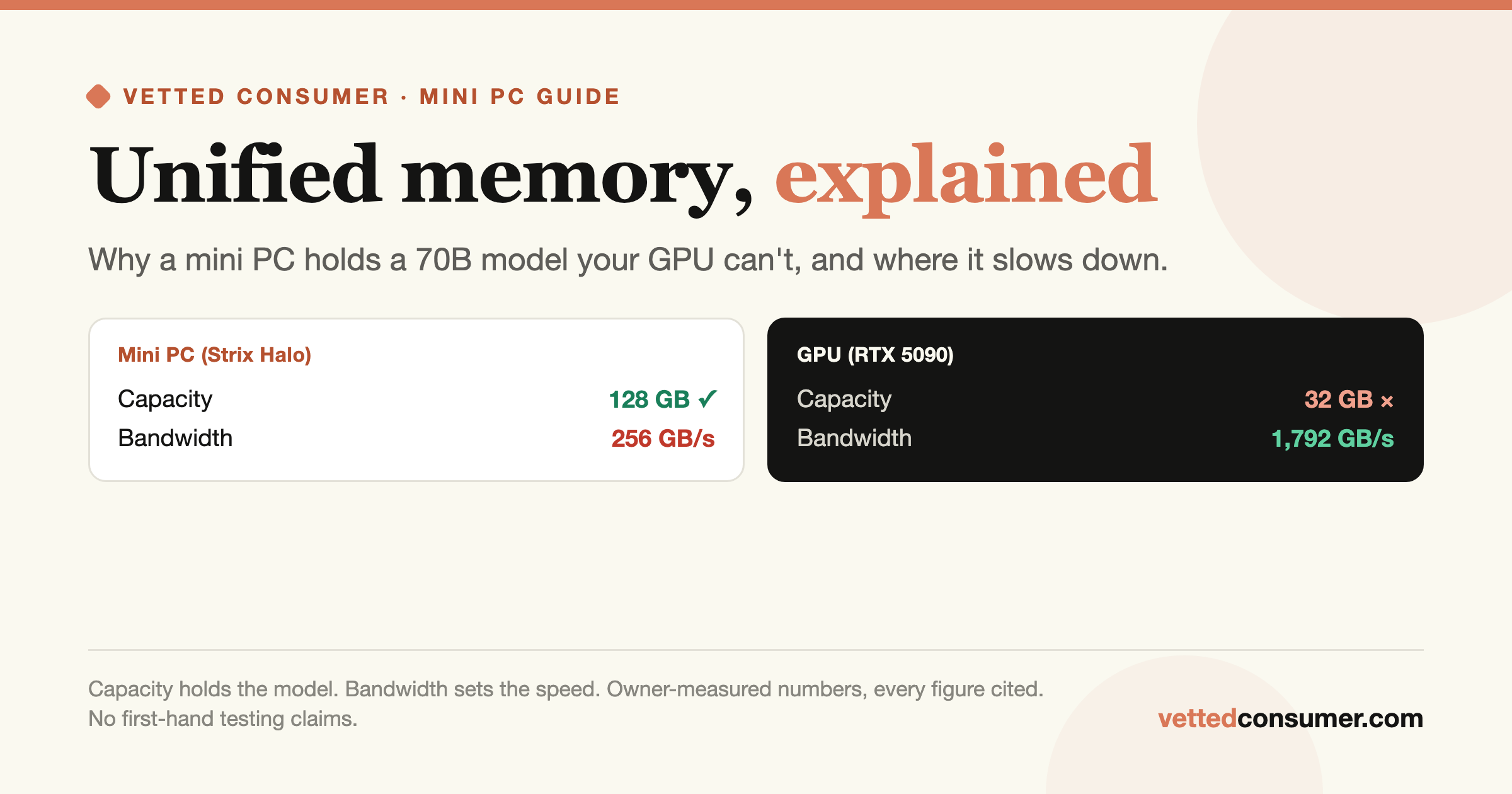
The workflow leans on two hardware realities every local-AI owner bumps into. First, Apple Silicon's unified memory (here, an M5 Max) is why a laptop can run sizeable local models at all, the same reason these machines anchor our Unified-Memory AI guides. Second, once your collection outgrows internal storage, fast external Thunderbolt storage becomes part of the rig: loading a 40 GB+ model off a slow drive is painful, so the move is high-bandwidth NVMe (Ziskind measured roughly 6,000–6,500 MB/s on his setup). You don't need a noisy NAS for a personal model library, a quiet, fast Thunderbolt enclosure or external SSD sits neatly between an internal drive and a full server.
Does external storage slow your models down?
A fair worry: if my models live on an external drive, will inference be slower? Mostly no, and why ties back to how local LLMs run. A model is read off disk once at load time, then it lives in RAM or VRAM and runs from there. As our prompt-processing guide explains, generation speed is bound by your memory bandwidth, not your disk, the SSD is out of the loop once the model is loaded. So fast external storage buys quicker load times (meaningful when you swap between big models constantly, as anyone comparing quants does), not faster tokens. The one exception: if you memory-map a model larger than your RAM and stream weights from disk during inference, disk speed bites hard, but that's a sign you need more RAM, not a faster SSD. For the normal case of a model that fits in memory, an external NVMe drive costs only a few seconds at load, a fine trade for a tidy, roomy library.
What owners are saying
The model-hoarding problem clearly resonates, the video's comments are full of people living it:
- "Good app to solve a big pain point.", @OrgNetworks on YouTube
- "I have a 20 TB drive dedicated specifically to AI stuff (just datasets and models) and I only have 400 GB free.", @wyatttheskid on YouTube
- "I rolled my own version of model-shelf a while ago… my centralised store is on an NVMe drive attached to a TB4 port on my M4 mini.", @walkerjian on YouTube
It's the same story on r/LocalLLaMA, where "9 TB of GGUFs" is said without irony and threads regularly ask why models take up double their listed size. If you run local AI past the beginner stage, storage and organization stop being an afterthought.
How to tame your own model hoard
You don't need any specific tool to fix this, the principles are what matter:
- Pick one canonical location for models, outside the HuggingFace cache, and point your tools at it (set
HF_HOME/ use symlinks, or a tool like Model Shelf). - Organize by runtime, GGUF (llama.cpp/Ollama), MLX (Apple Silicon), safetensors (vLLM), so you can find and reuse files across apps.
- Be deliberate about quant variants. Keep the quants you compare; delete the rest (our quant guide helps you pick the keepers).
- Put the bulk on fast external storage. A Thunderbolt NVMe enclosure or external SSD keeps load times sane without a NAS.
You don't need Ziskind's tool specifically, the habit matters more than the software. Common DIY approaches: point HuggingFace at a custom folder with the HF_HOME environment variable; relocate Ollama's store with OLLAMA_MODELS; symlink the cache onto a big drive; or just keep one canonical GGUF folder and load from it by path in llama.cpp, LM Studio, and Ollama alike. Plenty of community tools (and "vibe-coded" personal scripts, as the video's commenters cheerfully admit) do the same job. One location, organized by runtime, on storage with room to grow, that's the whole trick.
When to delete: a quick triage
The flip side of organizing is pruning, and a commenter (@gregben) nailed the wish list: "automatic duplicate removal, suggestions for removal of older or less-used models." Until tools do that for you, a simple manual triage keeps the hoard in check. Delete duplicates first, the same model in two locations is pure waste, and the HuggingFace double-size quirk makes it common. Then drop redundant quants: once you've settled on, say, Q4_K_M for a model, you rarely need the Q3 and Q8 you grabbed to compare. Then cull the stale big stuff: image and video weights you tried once, and a 70B you've since replaced with a better release, are the fastest gigabytes to reclaim. A five-minute monthly pass, dedupe, prune quants, cull the experiments, is the difference between a working library and a 9 TB junk drawer.
The bottom line
"Manage your models" sounds boring until you've re-downloaded the same 40 GB file three times. As local AI matures, the unglamorous parts, storage, organization, and letting an agent find the right model, are exactly what make a serious setup pleasant instead of a chore. Ziskind's video is a good nudge to get yours in order, whether you adopt his tool or just impose some discipline on that models folder. If you're building out a local-AI machine, budget for the storage too: a capable Apple Silicon machine plus a fast Thunderbolt NVMe enclosure or external SSD is the realistic foundation for a growing model library.
Sources & how we researched this
This piece summarizes Alex Ziskind's video "My LLM Hoarding Got Out of Hand… So I Built This" (embedded above; his findings, our framing, we omit the sponsored segment and have not tested the hardware first-hand), with the storage and quantization specifics cross-checked against the llama.cpp GGUF documentation. Owner sentiment is drawn from the video's comments (attributed) and r/LocalLLaMA, linked so you can verify.
Shop fast Thunderbolt storage for your model library on Amazon →